
CAD Touch5.0.10 - App Store
You'll be able to see results in few seconds.
Publisher Description
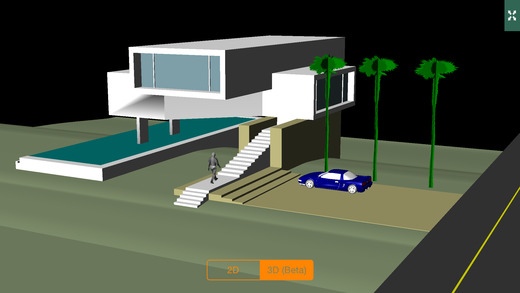
CAD Touch is a PRO CAD editor and viewer that completely reinvents on-site drawing, giving to professionals in various core fields like architecture, engineering, real estate, home design, and more, the power to measure, draw and view their work on-site.
CAD Touch requires no subscription, no internet connection.
CAD Touch is really easy to use and it's fast multitouch interface will give you the precision and flexibility that pen and paper fail to archive, finally you will have the perfect on-the-go companion for desktop software like AutoCAD™, SketchUp™ or Solidworks™ and every other DWG/DXF compatible app.
CAD Touch supports every DWG (up to AutoCAD™ 2013) entities for viewing and editing as it uses industry-proof input/output DWG importers.
You can draw new lines, polylines, rectangles, circles, arcs, points (also by xyz coords), hatches, texts, smart/angular dimensions, sketches, revision clouds, raster image, ruler, move, rotate, scale, trim, delete, mirror, offset, group, explode, grips, OSNAP, line/patterns type, alignments guides, objects library, preloaded library with 20+ blocks, customizable library, info tool to query length/perimeter/area, layers, black or white background and many more features.
Complete support for decimal and imperial measure units (architectural feet and inches).
CAD Touch is a DWG/DXF drawings 2D editor and 2D/3D viewer, you can open, share and save your work in DWG, PDF and PNG (Pro upgrade only), follow our tutorials so you can easily try and learn CAD Touch in a few minutes. Free version does not open DWG files and does not save, please buy Pro upgrade (in-app purchase) to save and open files.
This version supports iPad and iPhone and replaces our previous iPhone-only app.
Please remember to close other apps before running CAD Touch (to free RAM).
If you like CAD Touch, leave a constructive review, a positive review ensures that we develop the app with more updates and new features, if you are facing errors or bugs please contact us instead of leaving a review at ios.support@cadtouch.com, it's important so we can fix errors, thank you.
Nov 18, 2014 Version 5.0.10
Corrects sharing and moving drawings in iOS 7, restoring Pro purchase for iPad v3 and v4 customers on iPhone.
cadTouch does not offer an active customer support channel at the moment. We apologize for the inconvenience.
About CAD Touch
The company that develops CAD Touch is neoDev. The latest version released by its developer is 5.0.10.
To install CAD Touch on your iOS device, just click the green Continue To App button above to start the installation process. The app is listed on our website since 2014-11-18 and was downloaded 0 times. We have already checked if the download link is safe, however for your own protection we recommend that you scan the downloaded app with your antivirus. Your antivirus may detect the CAD Touch as malware if the download link is broken.
How to install CAD Touch on your iOS device:
- Click on the Continue To App button on our website. This will redirect you to the App Store.
- Once the CAD Touch is shown in the iTunes listing of your iOS device, you can start its download and installation. Tap on the GET button to the right of the app to start downloading it.
- If you are not logged-in the iOS appstore app, you'll be prompted for your your Apple ID and/or password.
- After CAD Touch is downloaded, you'll see an INSTALL button to the right. Tap on it to start the actual installation of the iOS app.
- Once installation is finished you can tap on the OPEN button to start it. Its icon will also be added to your device home screen.
Program Details
System requirements
Download information
Pricing
Version History
version 5.0.10
posted on 2014-11-18
Nov 18, 2014 Version 5.0.10
Corrects sharing and moving drawings in iOS 7, restoring Pro purchase for iPad v3 and v4 customers on iPhone.
cadTouch does not offer an active customer support channel at the moment. We apologize for the inconvenience.
version 5.0.10
posted on 2010-08-04
Disclaimer
Official App Store Link
We do not host CAD Touch on our servers. We did not scan it for viruses, adware, spyware or other type of malware. This app is hosted by Apple and passed their terms and conditions to be listed there. We recommend caution when installing it.
The App Store link for CAD Touch is provided to you by apps112.com without any warranties, representations or guarantees of any kind, so access it at your own risk.
If you have questions regarding this particular app contact the publisher directly. For questions about the functionalities of apps112.com contact us.
